
Podcast App
Evolve Podcast App For AndroidMusic & Audio
4.35.06K Reviews
- Version
- 3.35.2
- Installs
- 1.00M
- Age Rating
- Teen
Screenshots
Our Review of Podcast App
 Analysis by Appyee
I tend to judge a podcast player by the small moments: whether I can find something suited to a short journey, resume an episode without hunting for my place, and listen when the connection disappears. Podcast App is aimed at Android listeners who want podcasts in one place, with tools for browsing, playback and offline listening. My overall impression is that it can make a useful everyday companion, though some of its appeal depends on whether its particular discovery and social features match the way you listen.
What the free access and paid options mean
The app is free to download, which makes it easy to try before deciding whether it belongs in your routine. There are in-app purchases priced from $19.99 to $34.99 per item, so it is worth checking what an offer covers before paying. I would not assume that every feature described here requires a purchase, or that a paid option is essential to basic listening. Start with the free experience, see whether it handles your regular shows, and only consider a purchase if its specific benefits are clear to you.
That distinction matters because podcast listening is often a low-cost habit: many people mainly need a way to discover shows and play episodes. If that is you, the free starting point may be enough to judge the app. If you are considering an in-app purchase, compare the value with what you actually use rather than paying simply because a feature sounds convenient. The purchase range is a real commitment, so I’d want a clear personal reason before spending at the higher end.
Finding shows and shaping a listening routine
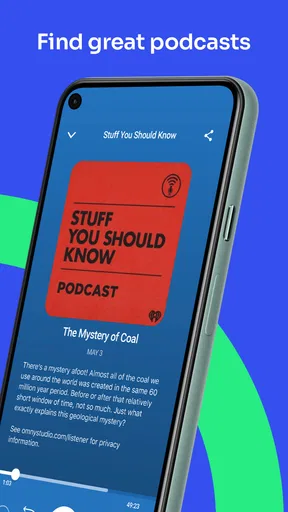
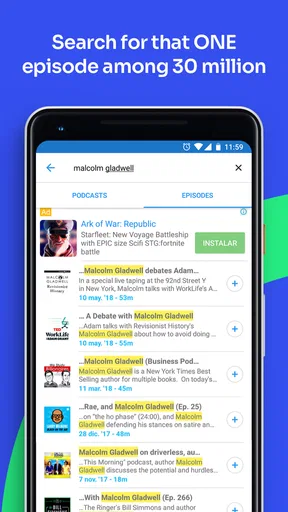
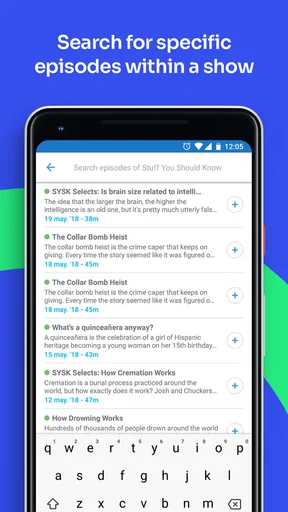
One of the first things I noticed when I started using the Podcast App was how incredibly easy it is to find new content. The app's interface is sleek and user-friendly, making navigation a breeze. You can search for podcasts by category, popularity, or even keywords. It’s like having a personal podcast concierge ready to serve up exactly what you’re in the mood for.
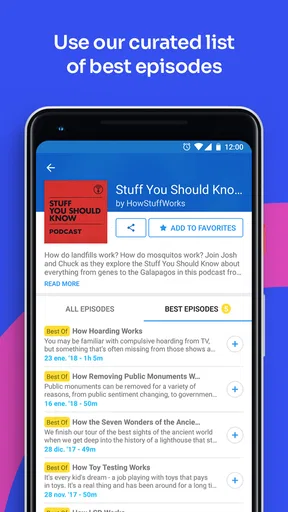
What really caught my attention was the curated playlists. These are like Spotify playlists but for podcasts. Whether you're into true crime, comedy, or learning something new, there's a playlist tailored just for you. And if you’re feeling adventurous, the “Discover” tab is perfect for browsing trending shows and hidden gems. You might just stumble upon your next favorite series!
Discovery is useful, but personal search still matters
Browsing and searching serve different moods. A category or a playlist is handy when I know the kind of listening I want but don’t have a particular show in mind; keyword search is more direct when I remember a topic or title. For a practical routine, I’d use discovery when I have time to explore, then follow a few finds so they’re easier to return to during a busy week. That keeps browsing from becoming the whole activity.
There is a trade-off in any recommendation-led catalog: trending shows and curated selections can help break a familiar listening loop, but they are not a substitute for knowing what you personally enjoy. If you have a niche interest, search by a specific phrase rather than relying only on popular picks. And if you already have a carefully organized podcast setup elsewhere, the benefit here will depend on whether this app’s browsing flow feels better to you, not merely on having another place to scroll.
Playback controls for different situations
Now, let’s talk about some of the features that make this app stand out. First off, the playback speed control is a game changer. If you’re like me and sometimes wish you could speed up those slow talkers or slow down the fast ones, this feature is a lifesaver. You can adjust the speed to your liking, ensuring you catch every detail without wasting a minute.
Another cool feature is the sleep timer. I often fall asleep listening to podcasts, and the app’s sleep timer lets me set a stop time so I don't wake up in the middle of an episode. Plus, the app automatically saves your spot, so you can pick up right where you left off. It’s all about making the experience as seamless as possible.
These controls work best when matched to the episode rather than applied as a blanket setting. I’d speed up a familiar conversational show when catching up, then return to normal speed for a dense interview or a new subject where details matter. The sleep timer solves a different problem: it lets a bedtime listener avoid losing track of an episode overnight. Together, those options make the app adaptable across a commute, a focused listening session and winding down at home.
Offline listening takes a little planning
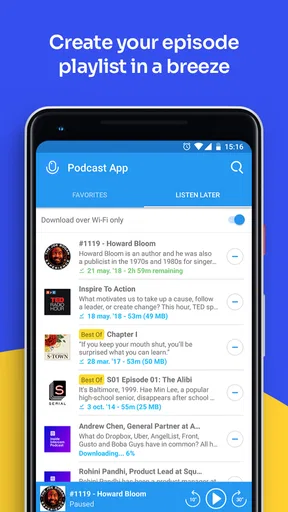
For those times when you’re off the grid—like on a flight or a long road trip—the offline listening option is a must-have. You can download episodes ahead of time, ensuring you’re never without your favorite shows. The download process is straightforward, and you can even manage your storage to ensure your device doesn’t get bogged down.
A useful habit is to download only the episodes you expect to finish before your next chance to connect, then review what is stored when you need room. That avoids treating offline access as an unlimited archive and makes it easier to keep the device from filling with episodes you may never play. If you are planning a trip, check your downloads before leaving rather than assuming a saved show will be available at the moment you need it.
For an ordinary day, I can picture downloading an episode at home, listening to part of it on the way to work, and resuming it later without relying on a stable connection. That is a more dependable workflow than searching for a new episode while already travelling. People who mostly listen at home with reliable internet may care less about this feature; commuters, travellers and anyone with patchy access are more likely to appreciate it.
Device controls and sharing with other listeners
And let’s not forget about the app’s integration with smart devices. Whether you’re using Alexa, Google Assistant, or your smartwatch, Podcast App has you covered. You can control playback with voice commands, making it easier than ever to listen on the go.
Hands-free controls are most useful when reaching for a phone would be awkward, such as when walking or doing a chore. I would still check that the device I actually use works smoothly with the app before building a routine around voice control. The convenience is real when the setup fits, but it is not a reason on its own to switch from a player that already works well with your equipment.
What I love about the Podcast App is its focus on community. You can follow your favorite hosts, leave comments, and even rate episodes. It’s like being part of a book club, but for podcasts. This element of interaction adds a layer of engagement that keeps you coming back for more.
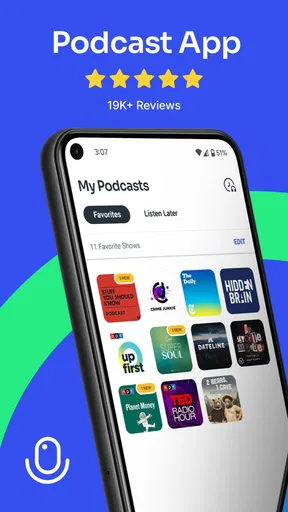
The app also features an option to create your own playlists and share them with friends. It’s a fun way to connect with fellow podcast lovers and explore what others are listening to. Sharing is caring, right?
Those social tools are a bonus rather than a must-have for every listener. If you enjoy comparing recommendations with friends, a shared playlist can turn “what should I listen to?” into a simple exchange. If you prefer podcasts as a private background activity, comments and ratings may not add much to your day. I’d treat them as optional ways to explore, not as the main reason to choose a podcast player.
Who is likely to get the most from it?
I’d suggest trying it if you want one Android app for exploring shows, adjusting playback, keeping your place and preparing episodes for offline listening. It is especially suited to someone who moves between listening contexts: a faster speed for a familiar show, a timer at bedtime and a download for a journey. The combination is more useful than any one control on its own because it lets the same listening habit fit around changing parts of the day.
It may be less compelling if your priority is a very minimal player and you have no interest in discovery, playlists or community interaction. Likewise, listeners who depend on a particular ecosystem or already have a library and routine they like should compare the everyday experience rather than switching for a feature list. A different podcast player may be the better choice if it fits your device setup or established habits more naturally.
The app is made by Evolve Podcast App For Android and sits in the music and audio category. It has an average rating of 4.3 from around 22,000 ratings, with more than 1 million installs, which suggests it has attracted a substantial Android audience. Its age rating is Teen. Those details can help set expectations, but they do not tell me whether its browsing style or social layer will suit an individual listener; trying the free version is the practical way to decide.
Where it fits among podcast alternatives
Compared with using a music-streaming app for spoken audio, this app puts podcast discovery and listening at the centre of the experience. That focus can be helpful if you regularly browse by topic, want curated podcast playlists or value episode-oriented controls. A general audio app may be more convenient if you already keep music and podcasts together and rarely explore beyond shows you know.
Compared with a bare-bones podcast player, the appeal here is broader discovery and the social side, not simply pressing play. That extra layer can lead you to new listening, though it can also feel unnecessary if you want a quiet, straightforward queue. I would make the choice based on the part of listening you want help with: finding things, managing episodes offline, or keeping playback simple.
My final take
All in all, the Podcast App is a fantastic tool for anyone looking to dive into the world of podcasts. It’s easy to use, packed with features, and designed to enhance your listening experience. Whether you’re a casual listener or a podcast enthusiast, this app has something to offer.
If you haven't tried it yet, I highly recommend giving it a shot. With its vast library of content and user-friendly design, it’s bound to become a staple on your device. Happy listening!
My recommendation is to begin with the free download and test it against a real week of listening: search for a show you already like, try a discovery playlist, use the sleep timer if you listen at night, and download an episode before heading somewhere with unreliable access. The app is free to start, while in-app purchases range from $19.99 to $34.99 per item; I would only pay after confirming that the purchase offers value for the way I use it. Version 3.34.0 requires Android 7.0 or later, and the app was released on March 18, 2016. For an Android listener who wants discovery and practical listening controls together, it is worth a trial; for someone who wants only a minimal player, I’d compare alternatives first.
Verdict
Strengths of Podcast App
- User-friendly interface for easy navigation.
- Wide range of podcast categories available.
- Offline listening for on-the-go enjoyment.
- Personalized recommendations improve over time.
- Seamless integration with smart devices.
Limitations of Podcast App
- Occasional bugs can disrupt playback.
- Limited customization for playlists.
- Advertisements can be intrusive at times.
- Some content requires premium subscription.
- Slow updates for newly released episodes.
Similar Picks in This Category
View All
YouTube Music
Google LLC4.4

Samsung Music
Samsung Electronics Co., Ltd.3.8

Spotify: Music and Podcasts
Spotify AB4.3

JioSaavn - Music & Podcasts
Saavn Media Limited4.3

Lark Player:Music Player & MP3
Lark Player Studio - Music, MP3 & Video Player4.6

StarMaker: Sing Karaoke Songs
SKYWORK AI PTE. LTD.4.3
Frequently Asked Questions
What features does the Podcast App offer?
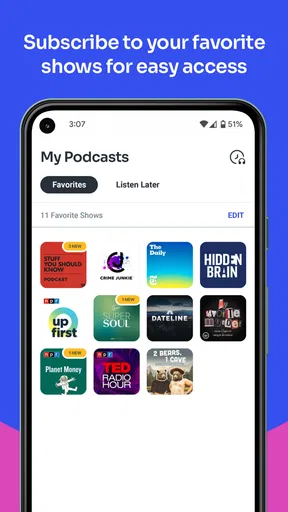
The Podcast App offers a variety of features including personalized recommendations, offline listening, and playback speed control. Users can create playlists, subscribe to their favorite shows, and receive notifications on new episodes. Additionally, it integrates seamlessly with smart devices to enhance your listening experience.
Is the Podcast App free to use?
Yes, the Podcast App offers a free version with access to a wide range of podcasts. However, there is also a premium subscription available that removes ads, provides exclusive content, and allows for additional features such as higher-quality audio streaming and customizable themes.
Can I download episodes for offline listening?
Absolutely! The Podcast App allows users to download episodes for offline listening. This feature is particularly useful for those who commute or travel frequently and want to enjoy their favorite podcasts without relying on a stable internet connection.
Does the Podcast App support multiple languages?
Yes, the Podcast App supports multiple languages, making it accessible to a global audience. Users can choose their preferred language from the settings menu. Additionally, the app offers a diverse range of content from international creators, catering to various linguistic preferences.
How can I discover new podcasts on the Podcast App?
The Podcast App provides a discovery feature that suggests new podcasts based on your listening habits. Users can explore trending shows, browse categories, and check out curated playlists. The app also uses algorithms to recommend podcasts that align with your interests, ensuring a personalized experience.
